Set Device Name (Bluetooth LE)
Set a Bluetooth LE device name of this product.
By setting a device name, you can easily identify the device.
Before Use: Check the Following
- Dedicated app is required to set up a statip IP address.
For iOS and Android, install Star Quick Setup Utility.
For Windows, download Star Windows Software and install it to your host device.
Refer to Use App. - Pair with PC or tablet.
Refer to Connect with Bluetooth LE for details.
The connection method varies depending on the operating system of the device you are using.
Set from an iOS device, Android device
Set from Windows
Set from an iOS device, Android device
1. Connect from a dedicated app
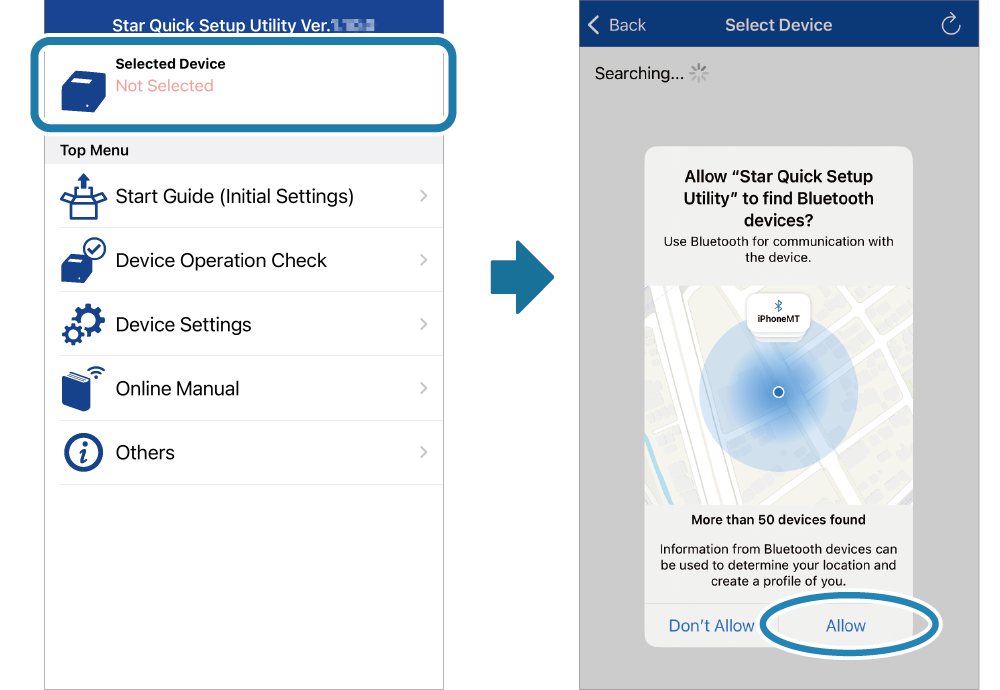
- Start Star Quick Setup Utility.
Tap [Selected Device].
If a screen appears asking for permission to detect devices, tap [Allow].
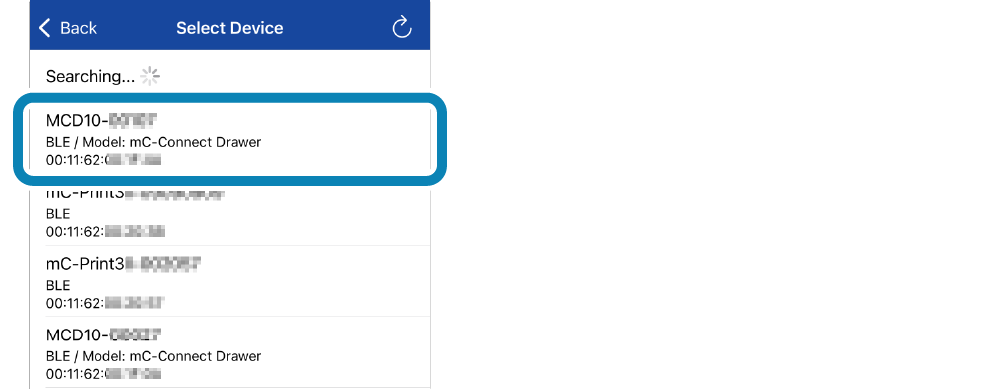
- Tap the previously paired device.
When a device confirmation screen appears, tap [Yes].
2. Set a device name
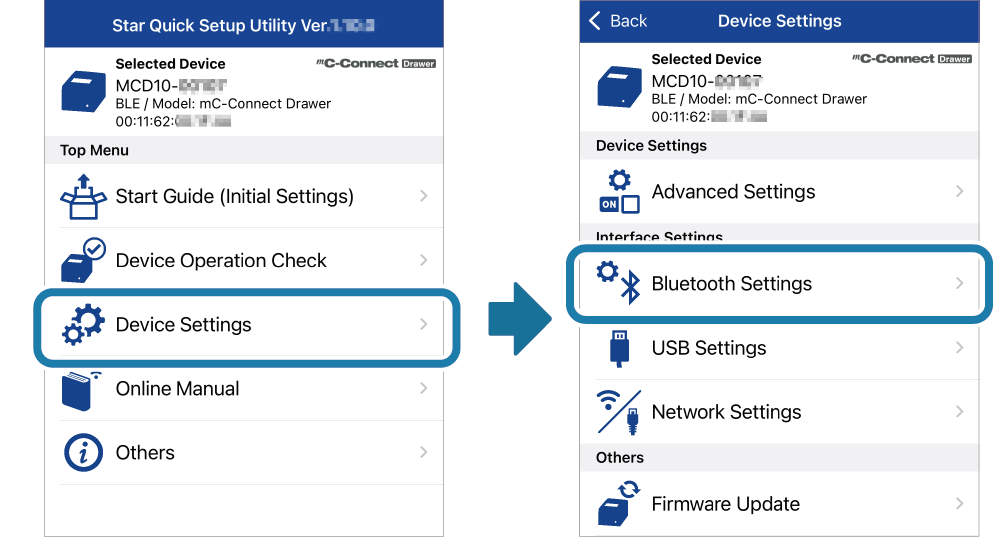
- Tap [Device Settings]-[Bluetooth Settings].
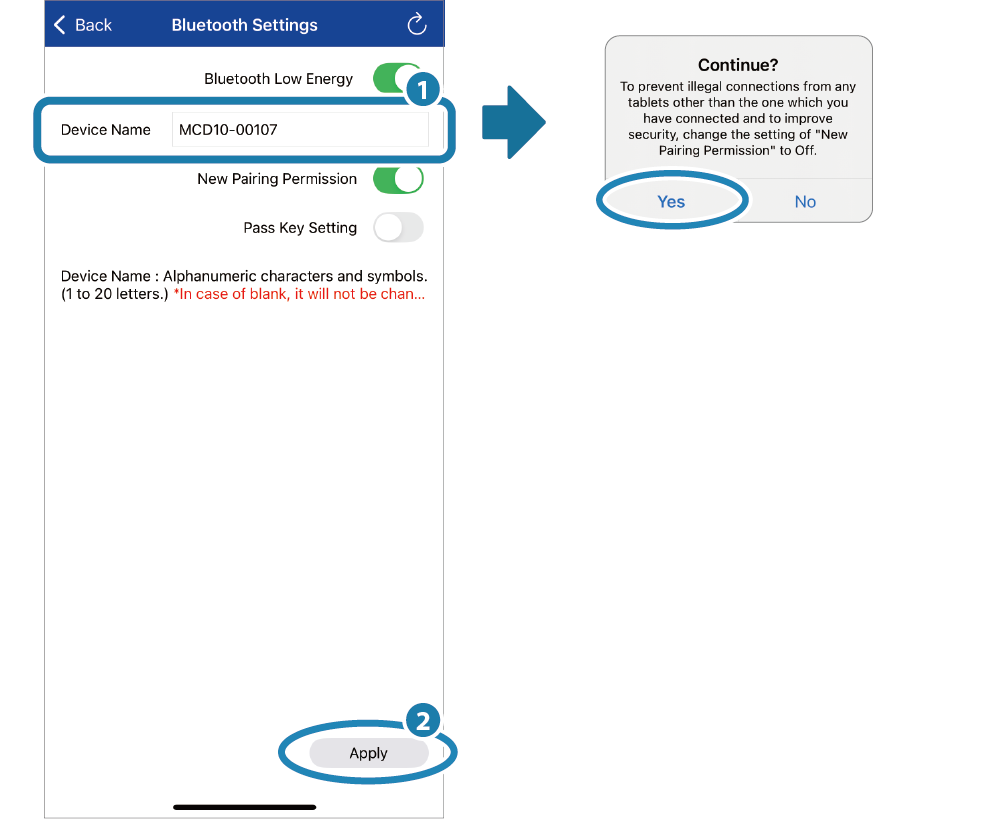
- Enter a device name
 . Tap [Apply]
 to write the settings to the product.
When the setting for New Pairing Permission is ON, a dialog box for requesting you to change the setting appears.
To change the setting, tap [No] and change the setting for New Pairing Permission on the Bluetooth setting screen. If you do not change the setting, tap [Yes].
When the setting is completed, "Success" is displayed on the app.
Restart the product.
Memo
Set the device name using alphanumeric characters and symbols (1–20 characters).Set from Windows
1. Connect from a dedicated app
- Start [All apps]-[Star Windows Software]-[Bluetooth Utility] from the Windows Start menu.
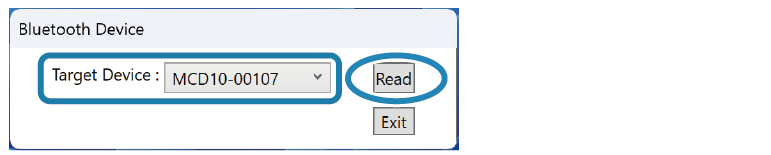
From the device list, select the device that you have paired in advance and click [Read].
2. Set a device name
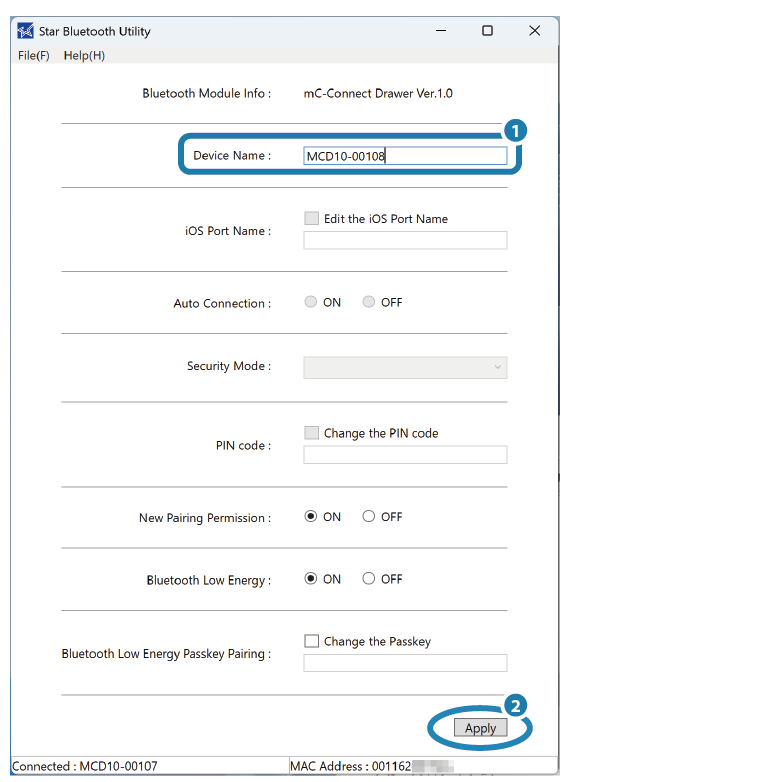
- Enter a device name.
Click [Apply] to write the settings to the product.
When the setting is completed, "Success" is displayed on the app.
Restart the product.
Memo
Set the device name using alphanumeric characters and symbols (1–20 characters).